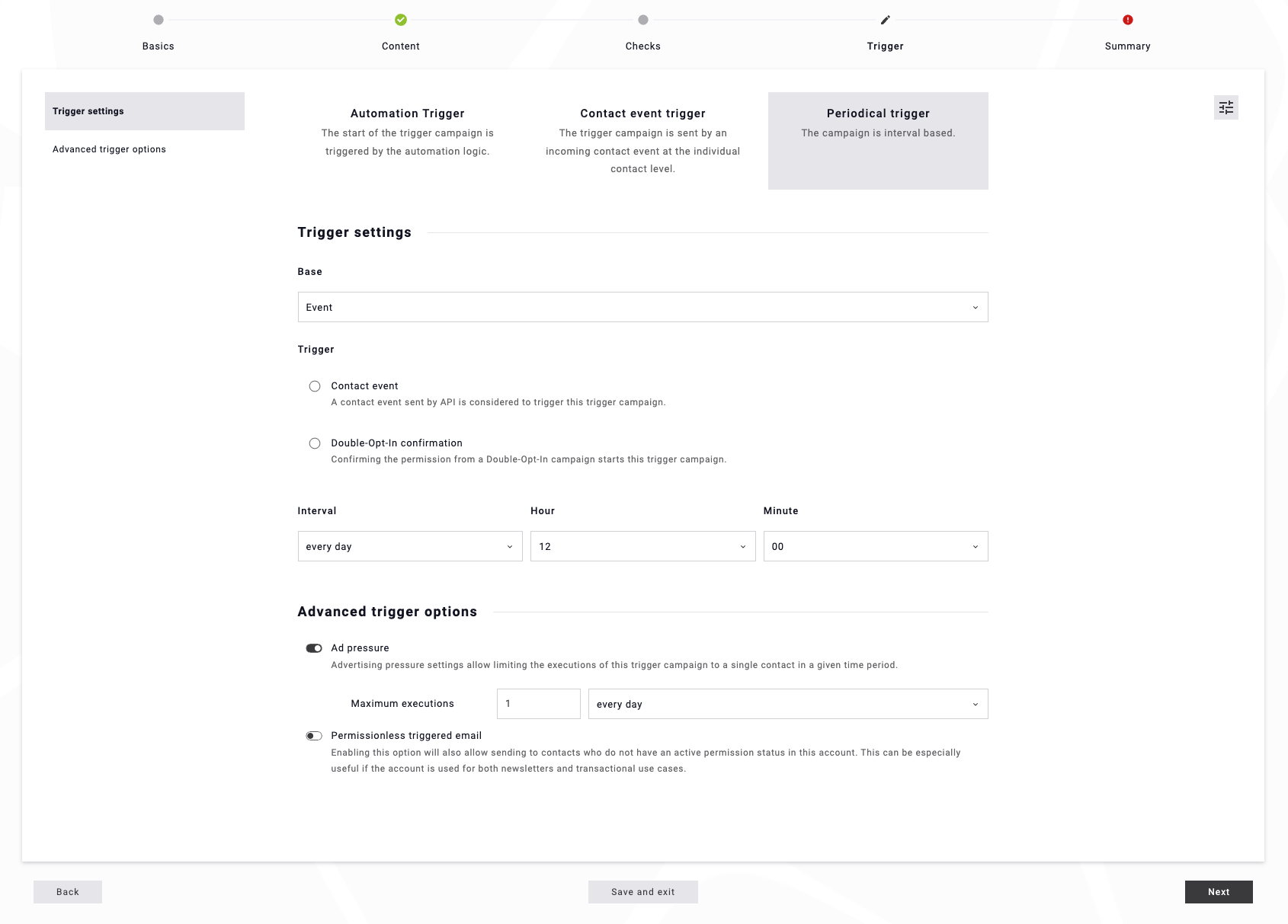
Ad pressure for periodical triggers helps you limit how often a contact can be included when a campaign runs on a fixed schedule (daily, weekly, etc.). By enabling ad pressure, under expert view toggle, you can set a maximum number of executions within the selected interval or in total.
This prevents contacts from receiving the same periodical campaign too frequently, even if the trigger conditions are met multiple times. It’s especially useful to avoid over-communication and to keep recurring campaigns balanced within your overall sending strategy.
You can find this setting in step 4 'Trigger' and under the 'Expert view' toggle (on the right next to Periodical trigger):