
To create a custom unsubscribe link, either create an "Unsubscribe reasons" page in the Pages module, or create your own external unsubscribe page.
In your e-mail, insert the link to the page as a web address:
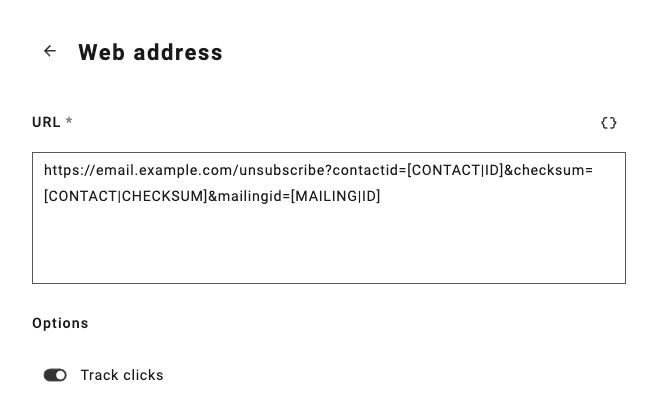
Make sure to add the correct parameters for Maileon to connect the unsubscription to the contact. These parameters are contactid=[CONTACT|ID], checksum=[CONTACT|CHECKSUM] and mailingid=[MAILING|ID]. Note the single brackets for the placeholders, because of the placholders are used in a trackable URL.
The completed unsubscribe link would eventually look like this:
https://email.example.com/unsubscribe?contactid=[CONTACT|ID]&checksum=[CONTACT|CHECKSUM]&mailingid=[MAILING|ID]
Account placeholders
If you're using an account placeholder for the URL, you want to add the domain 'https://....com' to the account placeholder and use [+|ACCOUNT|PLACEHOLDERNAME]?contactid=[CONTACT|ID]&checksum=[CONTACT|CHECKSUM]&mailingid=[MAILING|ID] as the URL. See https://support.maileon.nl/en/support/solutions/articles/80001147949-%E2%96%B6%EF%B8%8F-how-to-use-account-placeholders-for-text-or-links for more information about using account placeholders.